What's new in eLabFTW 5.4
Introduction
eLabFTW 5.4 has been released! This new version brings many new features, enhancements and a few bugfixes. This blog post highlights some of these changes, but the complete list of changes is available on the release page.
Important note about 5.4.0
Use directly 5.4.1!
A note about “stable” releases
eLabFTW is a living project — “stable” would imply it is no longer evolving. Version 5.4.0 is production-ready, but minor bugs will surface once it is in wide use, and patches will follow.
We target major releases every few months and issue patches as needed. A “.0” tag means the code and docs are ready to deploy, but be sure to apply subsequent patch releases so your users are not left with already-fixed bugs.
Video format
We will soon produce a dedicated video showcasing the new features, and it will appear instead of this text.
Big shiny new features
New creation modal window
The previous modal window to create an entry was cumbersome and confusing to use. So we replaced it with something better.
Now, the same modal window is used for creating any type of entry: Experiment, Resource, and their corresponding templates.
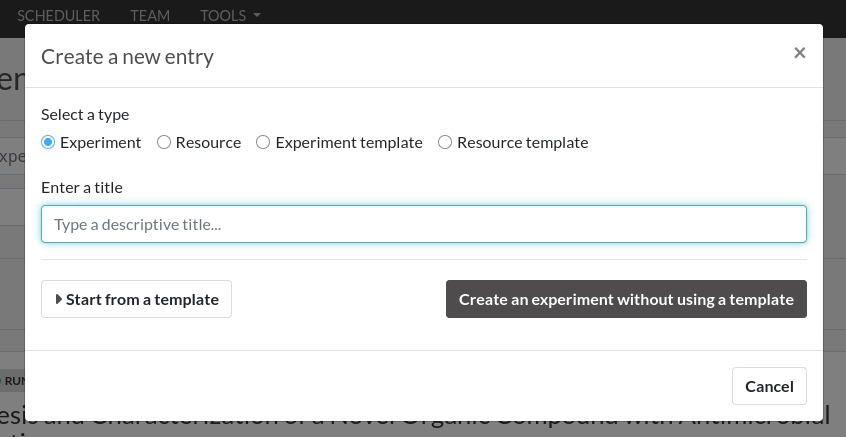
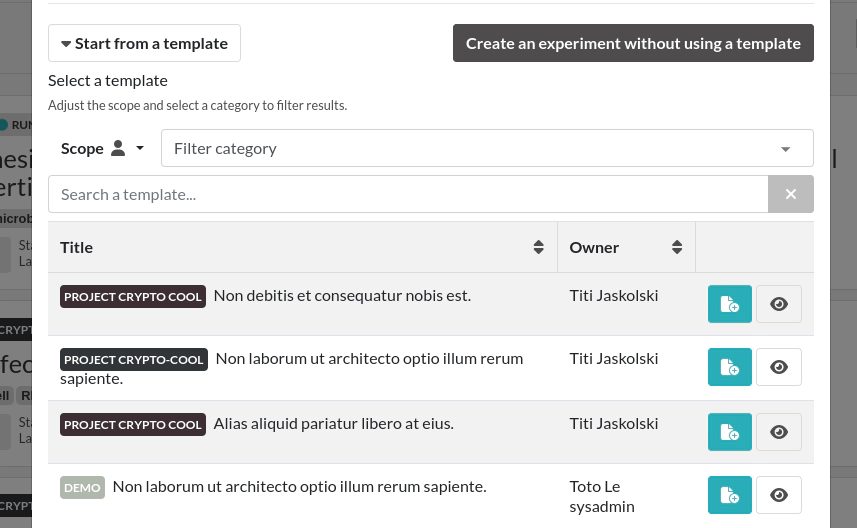
The window asks for a title first, and then you have the choice to either create the entry directly or list templates to create an entry from a template. We believe this flow is much better than before. It also addresses an issue where creating something from a template would not ask you for the title and you’d have to edit it afterwards. You can also simply type the title and press enter and it will work, making it very convenient to work with.
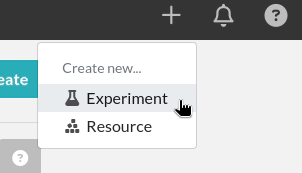
You’ll also find a new menu in the top right of the page to create entries directly from any page:
Listing page (show mode/index page)
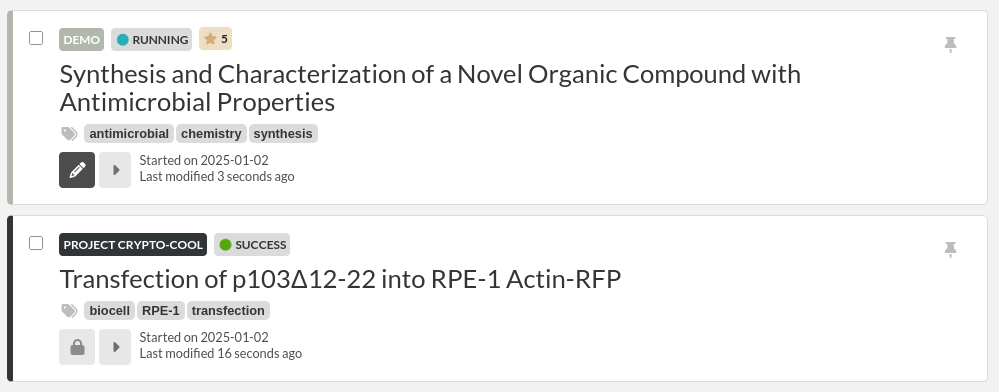
We reworked how the listing appears: entries do not take full screen width anymore, and buttons and information have been moved around a bit. We now also show the last modification date.
Improve owner filter menu
The menu to filter users now hides archived users by default but allows to show them with a toggle button:
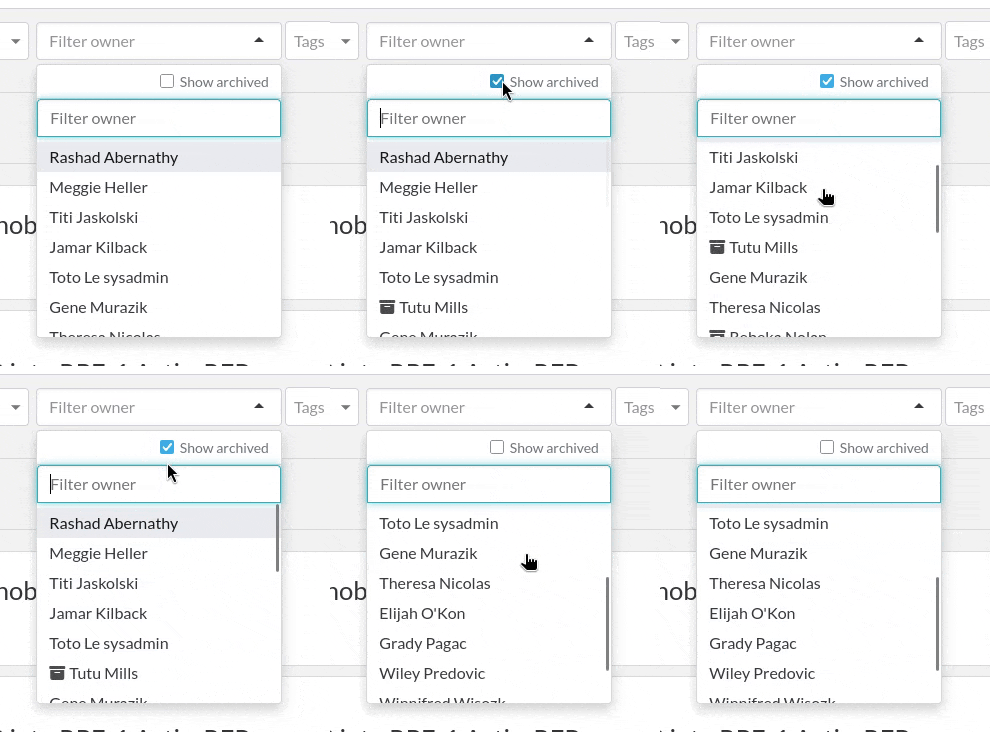
This will help in teams with many archived users.
Browse categories and status from other teams
Filters dropdown menus for categories and status have been improved to allow listing Category and Status from other teams, so users can more easily browse entries from Categories belonging in other teams.
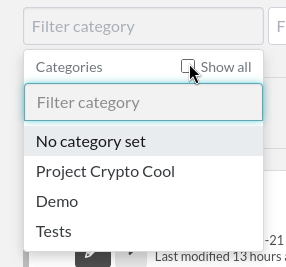
This change also comes with a new feature for Category and Status: the must not be marked as private in order to be visible to other users. By default, all Category and Status will be private, meaning they can only be visible to members of the team. If you’d like to have Category browsable by everyone, mark it as not private from the Category page, same for Status.

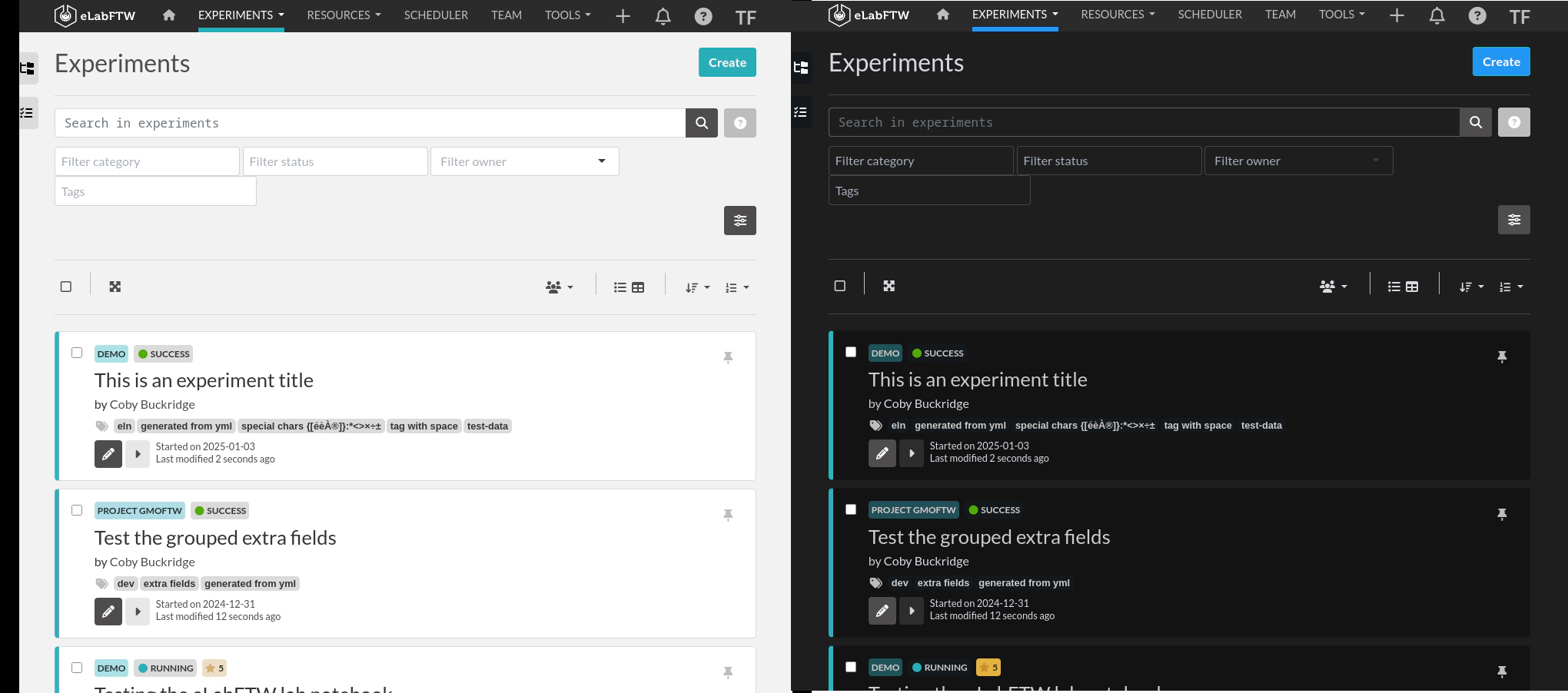
Dark mode
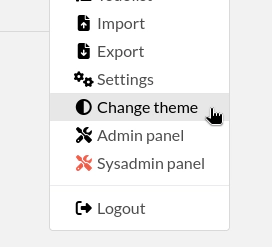
Moustapha implemented a Dark mode, so you can now switch between light and dark mode. We might consider adding other themes in the future (sepia, high contrast, colorblind, etc…).
Let us know if some adjustments are necessary in case you find things that are not clearly visible in a given theme.
Switch theme from the menu:
Export compounds usage
If you link your Experiments to Resources that are themselves linked to Compounds, you can export the list of Compounds used over a period of time from your Profile page.
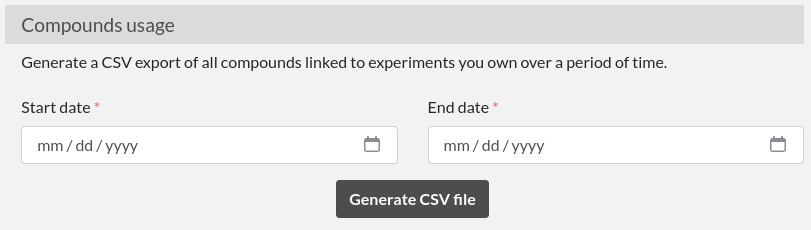
This could show useful to know which dangerous products you manipulated in the past.
DSpace integration
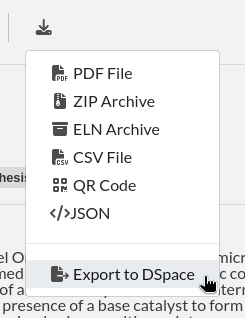
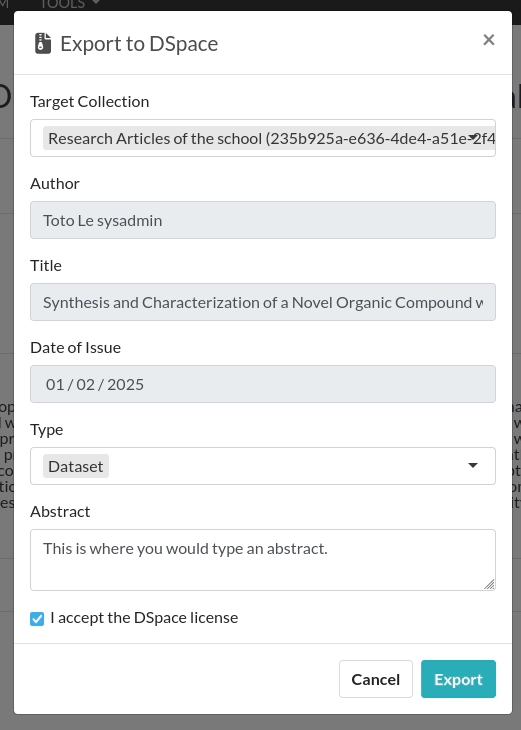
We added a new integration to DSpace (https://dspace.org/), allowing users to push entries to a DSpace repository. Sysadmins must first configure the remote repository from the Sysconfig panel.
Lockable steps
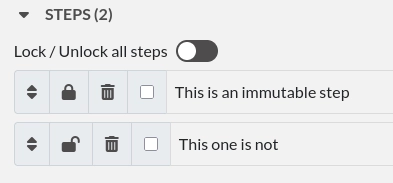
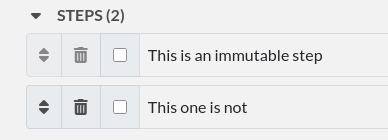
We implemented the possibility to make steps immutable. In a Template, you can now lock down steps so they cannot be moved around or edited in the corresponding entry created from that Template.
On the template:
On the experiment or resource:
Things for Sysadmins
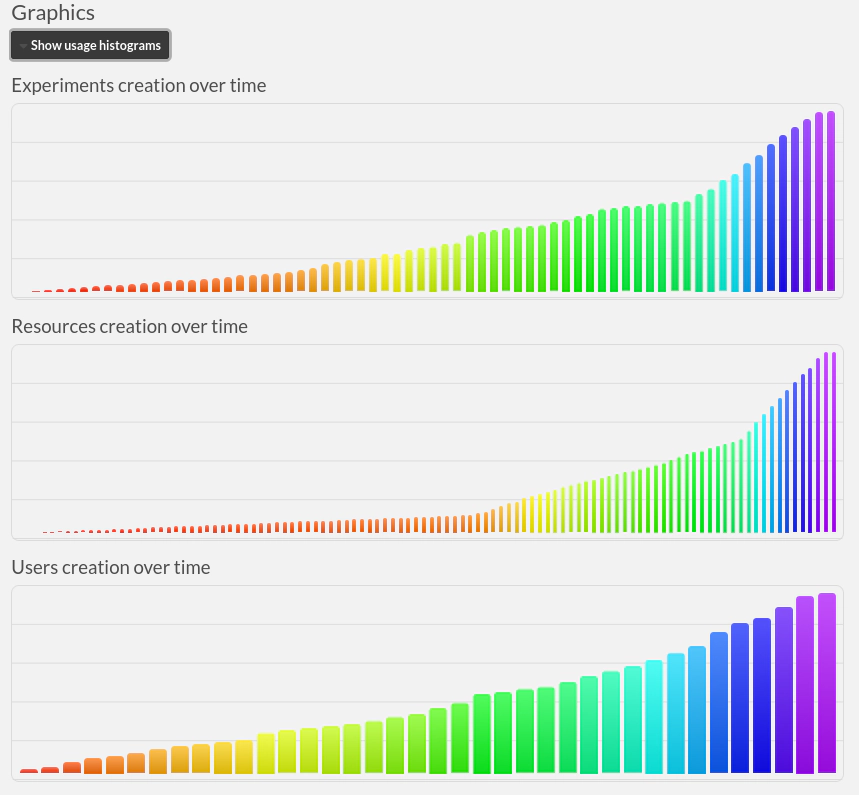
Usage charts in Sysconfig panel
On the first tab of the Sysconfig panel, you will find a new section to display usage over time:
OpenMetrics endpoint
A new endpoint appeared: /metrics. This is an OpenMetrics 1.0.0 endpoint, that can be queried by software such as Prometheus, to later have the data available in Grafana for instance.
Check out the documentation about measuring metrics here: metrics documentation.
Rework how IdP certificates and endpoint are managed
This concerns you if you use SAML authentication. Previously, it was only possible to configure two certificates for an IdP: the current one and the upcoming one. This made rotation of IdP certificate smooth, as the SAML code would try to validate the response with both certs.
If you are using Microsoft EntraID, the IdP can have many more valid certificates, and configuring just two would break from time to time (see Microsoft documentation.
In 5.4, an IdP can have as many certs as we want, same for SSO and SLO endpoints.
This change is backward compatible, so it shouldn’t impact existing configuration, but you should definitely test SAML in your pre-prod instance, just to make sure.
Also, values set for attributes are not refreshed anymore automatically if you used XML import. We also improved other aspects such as x509 parsing and the way we process things when reading the XML file.
Fixes and improvements
- Improve handling of (soft) deletion of uploaded files and their restoration when the entity is destroyed/restored.
- Improve transfer ownership modal window and take into account the team, which was previously missed
- Improve accessibility by fixing errors reported by the WAVE plugin
- Add a warning for Safari users that they should use another browser
- Fix wrong date on templates listing
- Fix tags in Korean appearing vertically
- Many other little fixes and improvements…
API changes
storage_unitsandcontainersendpoints have been added to the specificationcompoundskey for entities becomecompounds_linksto be coherent withexperiments_linksanditems_links- Error responses are now documented (400, 401, 403, 404 and 500)
Miscellaneous changes
- Add a mirror on Codeberg: https://codeberg.org/deltablot/elabftw
- New documentation website: https://doc.elabftw.net/, including a new Tutorials section!
Breaking changes
Remove Open Science mode
The Open Science mode was completely removed. This mode previously allowed the instance to be directly visible from search engines by allowing an anonymous visitor to be automatically logged in in a given team. This mode was broken during the whole 5.3 branch lifetime, and no one noticed. As such, we decided to remove this option, given that it rarely fit the use cases of our users. See also why we remove features from time to time: https://www.deltablot.com/posts/note-about-software-maintenance/.
Update eLabFTW
Update like usual: see documentation.
If you’re looking for a more complete changelog, see the release page.
Tip: use AUTO_DB_UPDATE=true as an ENV variable to automatically run the db:update script upon container start!
Conclusion
Thanks to everyone who contributed directly or not to this release. Reporting issues on the bug tracker or in the chat is very valuable! Make sure to report any bug you might find, even the most minor one, it’s always appreciated!
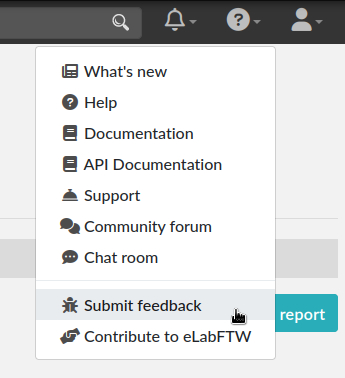
To report a bug, select “Submit feedback” from the top right help menu:
The adventure continues!