What's new in eLabFTW 6.1
Introduction
eLabFTW 6.1 is here (or maybe will be here if you are reading this before the final release)!
This is a major release, but this time, no breaking changes. You can upgrade as usual. If you’re upgrading from version 5, make sure to read the upgrade documentation.
This post is about the new features and the fixed issues that are contained in this new release.
A note about “stable” releases
eLabFTW is a living project: “stable” should not be taken to mean that it is no longer evolving. Version 6.1.0 is production-ready, but minor bugs will surface once it is in wide use, and patches will follow.
We target major releases every few months and issue patches as needed. A “.0” tag means the code and documentation are ready to deploy, but be sure to apply subsequent patch releases so your users are not left with already-fixed bugs.
See also our dedicated blog post about the eLabFTW release schedule.
Breaking changes
This release contains no breaking changes (that we know of).
Chemical reactions become part of the notebook
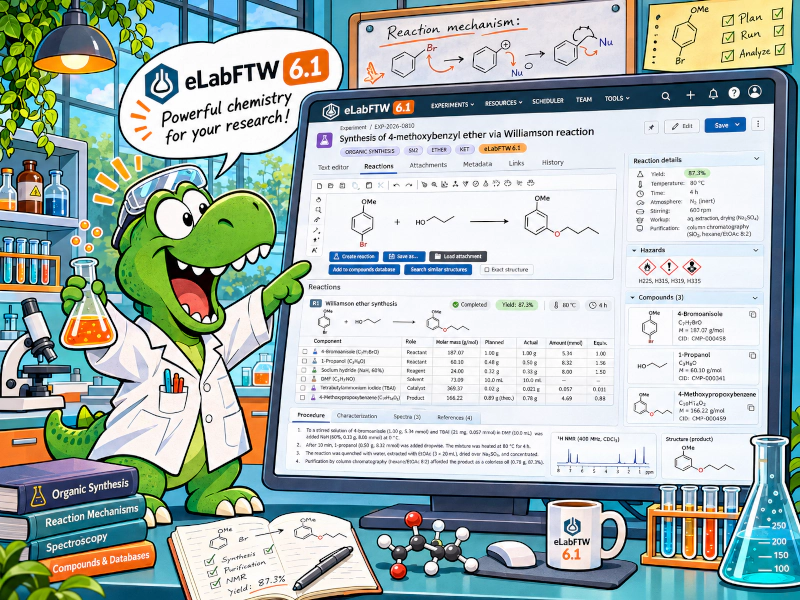
The main feature of 6.1: record, calculate, search and reuse chemical reactions directly in experiments and resources.
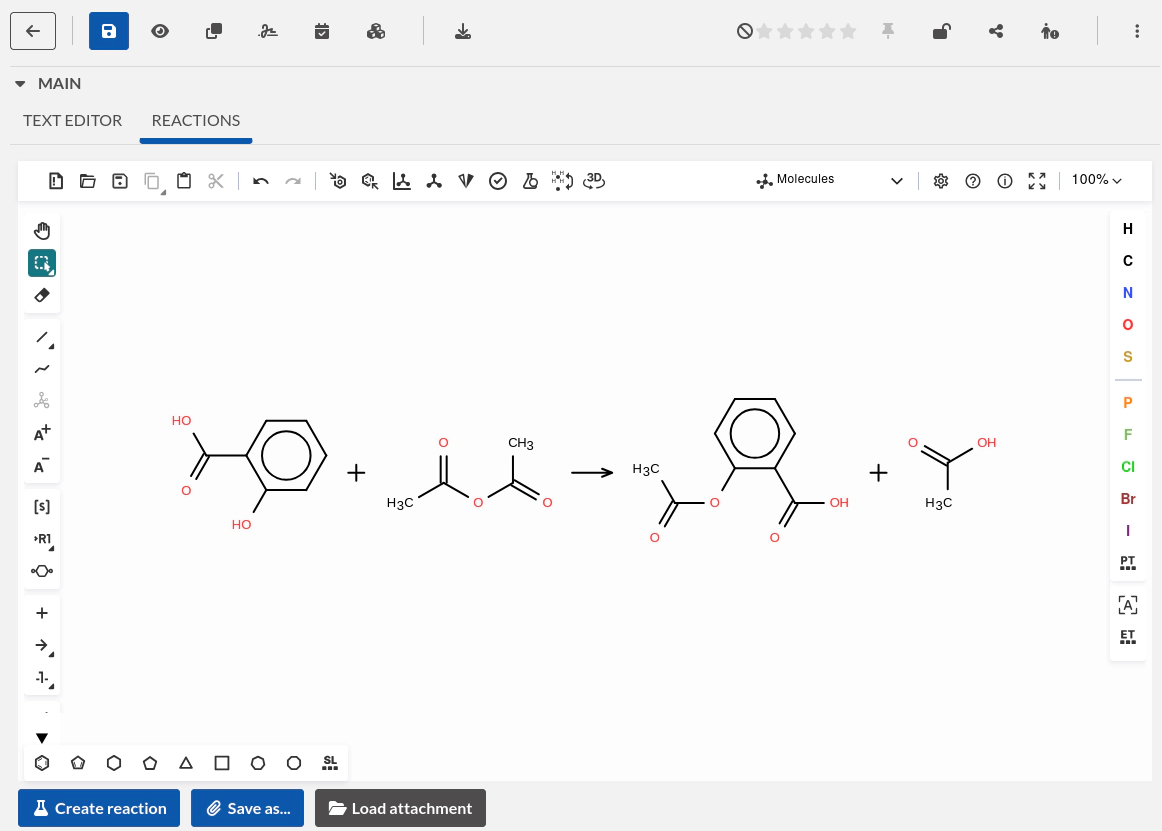
- Integrated chemical editor: Ketcher is available in the entry’s Reactions tab, including in templates. Load structures from attachments and save drawings as attachments.
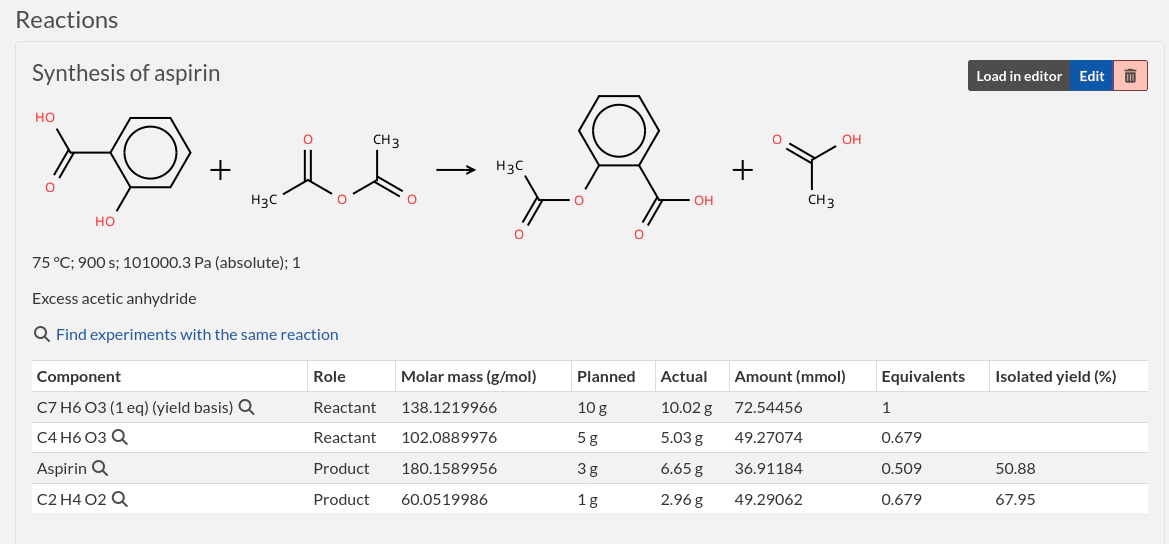
- Structured reaction tables: record reactants, products, reagents, catalysts and solvents, together with conditions, planned quantities and actual quantities.
- Quantity and yield calculations: calculate mass, volume, amount, equivalents and isolated product yield using properties such as molar mass, purity, density and stock concentration.
- Reaction searches: find entries using reaction text, component structures, SMARTS patterns and component roles. Find experiments with the same reactants and products.
- Reusable reactions: reactions are copied when duplicating entries or creating entries from templates.
- Preserved records: reactions have their own revision history and appear in PDF, JSON and ELN exports.
The chemistry improvements also extend to compounds and inventory:
- Compound permissions: control who can read and modify individual compounds, including sensitive compounds created by your team.
- More complete safety information: store GHS signal words and hazard and precautionary statements, including H, EUH and P statements. Import them from PubChem and display them alongside linked compounds and in PDFs.
- Storage-location hazard sheets: generate a PDF showing the hazards associated with a location, with pictograms, statements and a QR code linking to the current report.
- Improved compound searches: use SMARTS, exact structure matching and a unified search bar.
Sources: PR #7649, hazard-statements request #5506.
This feature was sponsored by the CNRS.
Booking approval and recurring reservations
Two substantial additions make the scheduler more useful for managing shared equipment.
Booking approval
Resources can require approval before a reservation is confirmed.
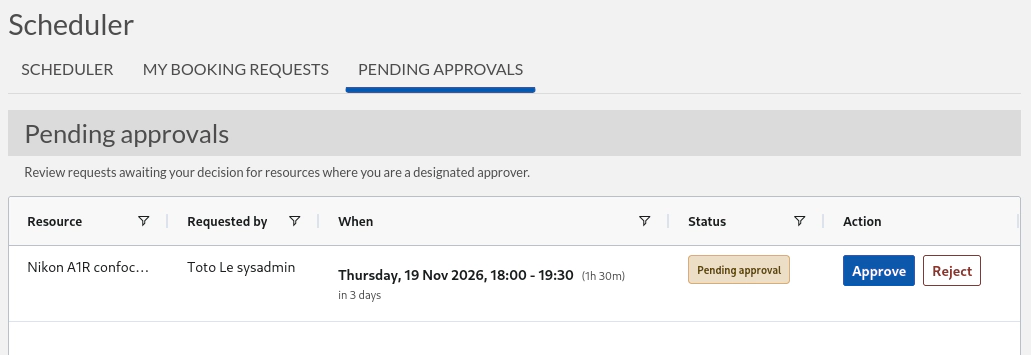
- Designate the people responsible for approving bookings of each resource.
- Submit a booking request and track it from the My booking requests tab.
- Review, approve or reject requests from the Pending approvals tab, with an optional explanatory comment.
- Pending requests remain visible in the calendar and reserve the requested time slot.
- Requesters and approvers receive notifications, and approval decisions are recorded in the audit log.
- For recurring requests, an approval decision applies to the occurrences that are still pending.
This is particularly useful for equipment that needs operator supervision or coordination before use.
Sources: PR #7635, workflow request #7513.
This feature was sponsored by the CNRS.
Recurring reservations
Create a series of reservations instead of booking each occurrence manually.
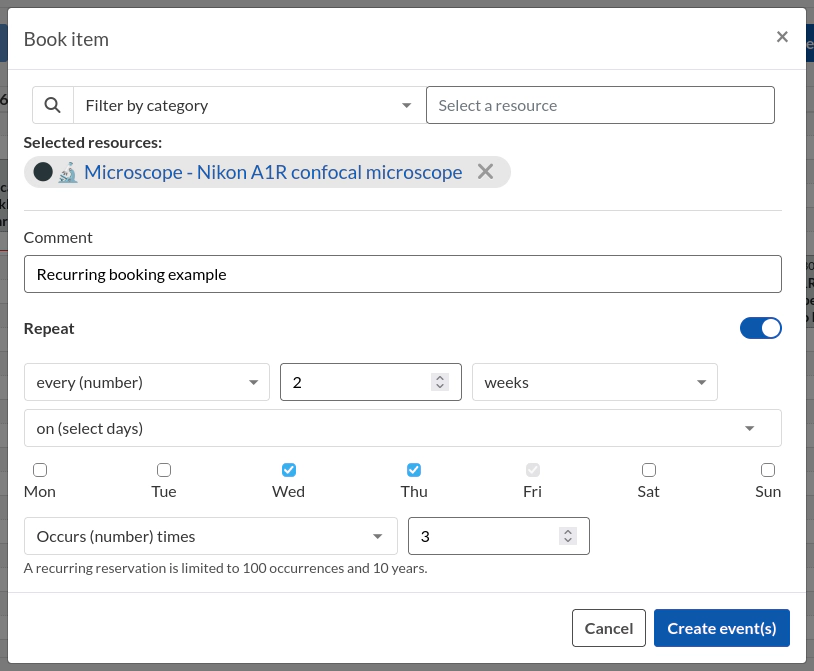
- Repeat daily, weekly or monthly, with custom intervals and selected weekdays.
- End a series after a chosen number of occurrences or on a specific date.
- Edit or cancel one occurrence, that occurrence and all future ones, or the entire series.
- Permissions, booking limits and conflicts are checked for every occurrence before the series is created or changed.
- The scheduler also gains a revised event interface and improved readability across themes.
This closes a request originally opened in 2017.
Sources: PR #7415, recurring-events request #459.
Organize steps and attachments into groups
Long protocols and entries with many files become easier to navigate.
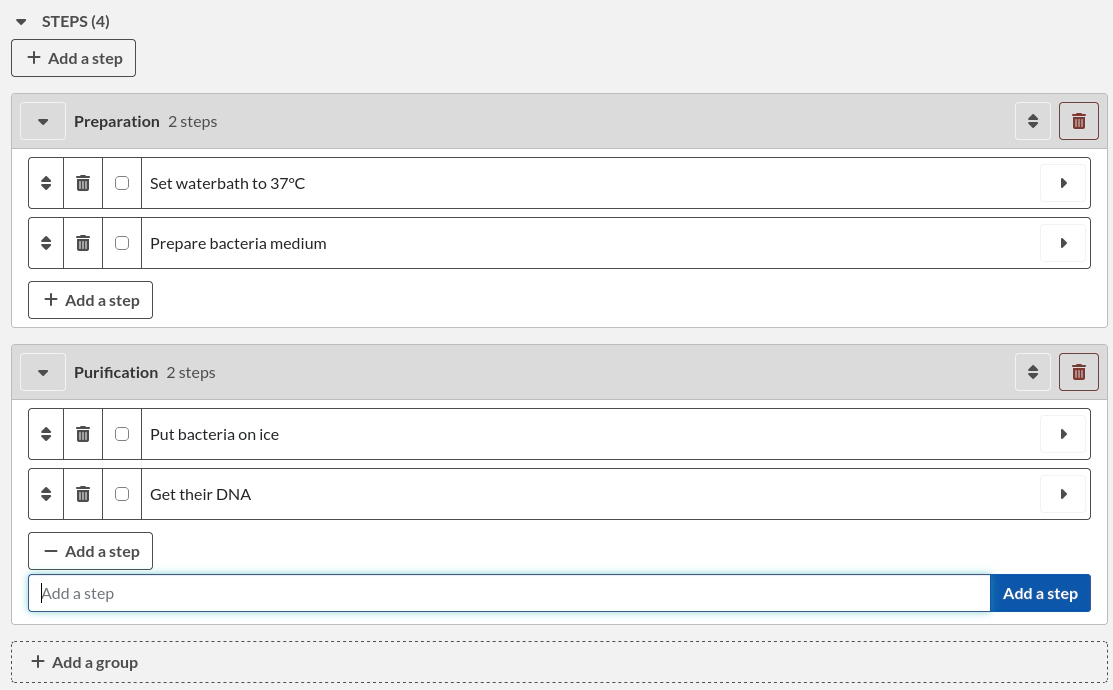
- Create named, collapsible groups for steps and attachments.
- Reorder groups and drag steps or files between them.
- Upload files directly into an attachment group.
- Preserve group organization when duplicating entries.
- Use grouped steps in experiments, resources and templates.
Sources: PR #7476, attachment-organization request #5083.
Display custom fields in table view
Compare the information that matters to your workflow directly in the experiment or resource overview.
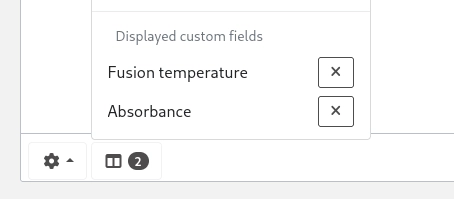
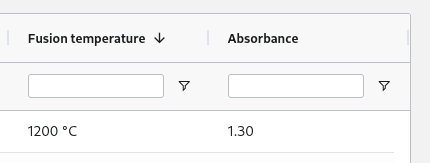
- Add selected custom fields as table columns.
- Sort and filter their values alongside the standard columns.
- Keep the chosen columns and table layout between visits in the same browser.
This addresses a practical limitation: users previously had to open entries individually or export a CSV to compare their custom fields.
Custom-field values are also included in simple search, making entries easier to find from recorded measurements, sample identifiers or other metadata.
Sources: PR #7740, overview-columns request #5626, search PR #7625.
Main text revisions on every save
Every distinct saved version of an entry’s main text is now retained, including changes saved through autosave.
- Small edits are recorded without depending on character-count or elapsed-time thresholds.
- The previous configurable revision-count limit is removed.
- Existing revisions are migrated.
- More efficient storage reduces the space required for successive versions.
This deserves a short highlight because it improves an essential notebook function: recovering earlier text after an accidental edit.
Sources: PR #7696, revision-recovery issue #5816.
Apply template additions to existing entries
An Update entries action lets template editors apply additions to entries already created from that template.
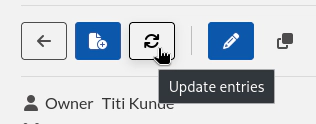
- Add missing custom fields, tags and links in bulk.
- Keep existing field values and main text.
- Update eligible entries while respecting permissions, locks and archival state.
Useful when a team improves a template after it has already been used for many experiments or resources.
Sources: PR #7627, template-update request #7618.
Easier sharing and restricted team members
Sharing settings are brought together in one permissions window, with a common search for teams, user groups and individual users.
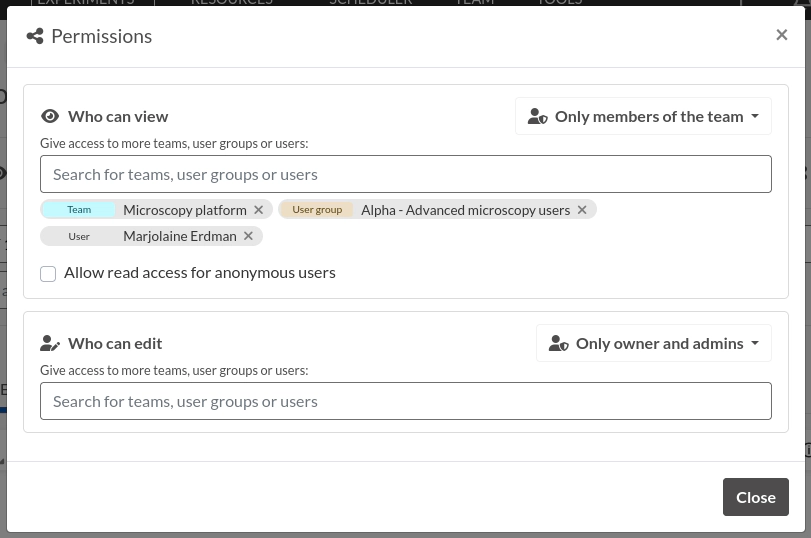
Administrators can also mark members as restricted users, separately for each team:
- Restricted users can access entries they own.
- Other entries must be shared explicitly with them or with a user group they belong to.
- Broad public, organization or team sharing does not automatically give them access.
This helps teams accommodate students, temporary members and collaborators who should only see selected work.
Sources: PR #7649, PR #7725, restricted-access request #5178.
Webhooks for workflow automation
External systems can subscribe to experiment and resource creation, updates and status changes.
- Configure subscriptions at instance, team or user level.
- Trigger external processing when an entry changes or reaches a particular status.
- Deliveries are signed and retried automatically after failures.
Configuration is currently available through the API. This is a useful secondary highlight for teams building integrations and automated workflows.
Sources: PR #7347, automation request #3767.
Misc
Writing and everyday navigation
- Heading navigation: a dynamic table of contents helps navigate long entries in view mode and while editing with the rich text editor. #7482
- Nested accordions: clearer visual nesting and easier opening and closing. #7473
- Paste images from the clipboard directly into the main text. #7723
- Improved image editor: revised toolbar, resizable canvas and easier loading of existing images. #7649
- Better step deadlines: clearer date controls and a custom deadline option; jump from a step to its reference in the main text. #7719, #7589
- Labels for individual values in multi-value custom fields. #7329
- Empty initial selections for dropdown and radio fields, with clearer highlighting of unanswered required fields. #7630
- Advanced searches by tag and attachment filename or comment. #7714, #7704
- Easier filtering across teams through the category, status and owner filters. #7717
- More readable category colors, with separate text and background colors, and more prominent custom IDs. #7412, #7705
- Bulk inventory placement: add containers for multiple selected experiments or resources while respecting location capacity. #7426
- Open a compound’s detail page from its editing window. #7738
Exports and interoperability
- Expanded export options: a common export window offers controls for linked entries, changelogs and format-specific settings, including full JSON output. #7422
- Custom PDF footer text, configured at instance level. #7739
- SVG QR-code exports, with configurable size and title formatting. #7587
- Compounds included in ELN exports and imports. #7494, #7549
- Better transfer of custom-field references between instances, including references to users, compounds, experiments and resources. #7656
- Improved imports from other ELN tools, including additional metadata-reference formats and more consistent date handling. #7517, #7737, #7498
- More reliable duplication of illustrated entries: images embedded in the main text are copied with the entry. #7735
Administration and reliability
- Read-only user impersonation: sysadmins can reproduce a user’s view to investigate problems; team-admin access can be enabled with additional restrictions. #7722
- Searchable audit-log table, with filtering and configurable columns. #7727
- MFA enforcement limited to local authentication, as an optional policy. #7736
- Configurable languages before login, including registration pages. #7653
- Additional timestamping services: D-Trust and SciMatic Proof, plus retries for temporary server failures during automated timestamping. #7563, #7666, #7571
- Improved download caching and error handling. #7669, #7792
- Performance improvements when loading entries, resolving permissions and generating tag suggestions. #7649
- Security hardening: stricter attachment access checks, CSV formula escaping, archive-import limits and API rate limiting. #7676, #7686, #7611, #7715
Conclusion
Thanks to everyone who contributed, directly or indirectly, to this release. Reporting issues on the bug tracker or in the chat is very valuable! Make sure to report any bug you might find, even the most minor one; it is always appreciated.
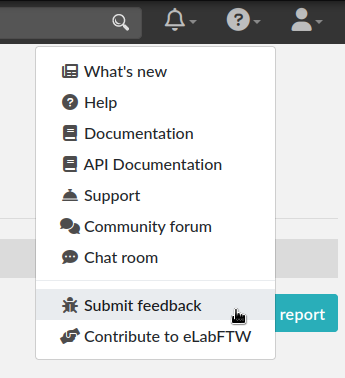
To report a bug, select “Submit feedback” from the top-right help menu:
The adventure continues!