What's new in eLabFTW 5.6
Introduction
This post explains some of the new features introduced in eLabFTW 5.6. The complete list of changes is available on the release page.
A note about “stable” releases
eLabFTW is a living project — “stable” should not be taken to mean that it is no longer evolving. Version 5.6.0 is production-ready, but minor bugs will surface once it is in wide use, and patches will follow.
We target major releases every few months and issue patches as needed. A “.0” tag means the code and documentation are ready to deploy, but be sure to apply subsequent patch releases so your users are not left with already-fixed bugs.
See also our dedicated blog post about the eLabFTW release schedule.
New features
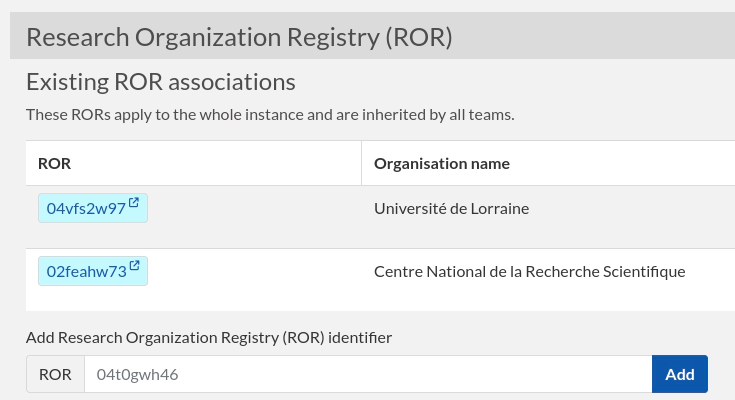
Add support for the Research Organization Registry
It is now possible to link organizations from the Research Organization Registry. This can be done at three different levels:
- Instance (Sysadmin Panel)
- Team (Admin Panel)
- User (User profile)
Branding improvements
In 5.5, it became possible to change the logos and favicon of the application, but support was limited to SVG files with a rather small size limit. Now, any kind of image file can be uploaded, with a file size limit of 1 MB.
Look and feel
We’ve done extensive work on the way entries are displayed on the index page (show mode) to improve the user experience. We hope these changes will make the application feel smoother and faster. We will continue to improve the responsiveness of the application in future iterations.
Infinite scroll
Say goodbye to pagination: you can now scroll until your fingers hurt!
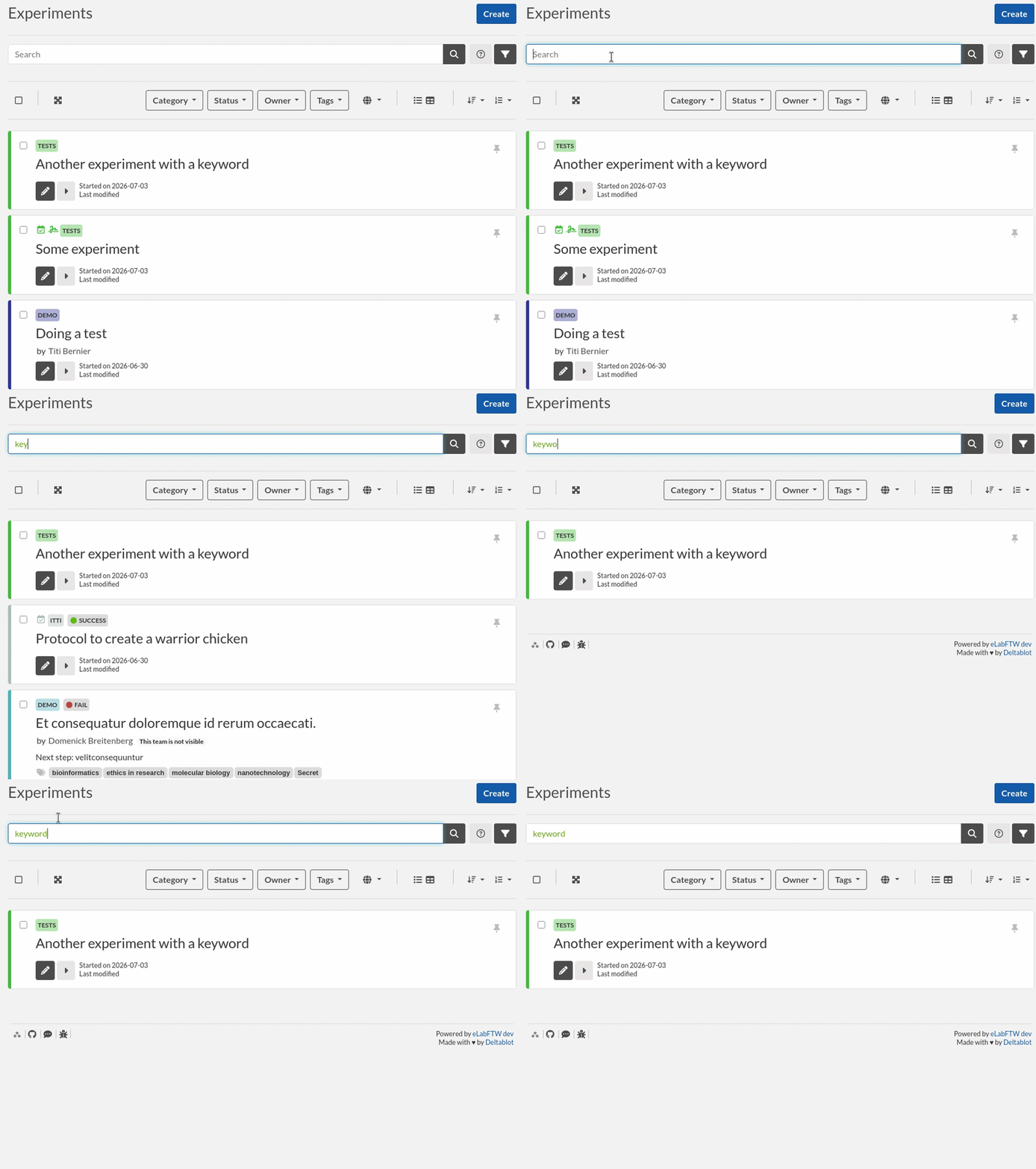
Live search
When you type in the search bar, the results now show up immediately:
New table mode
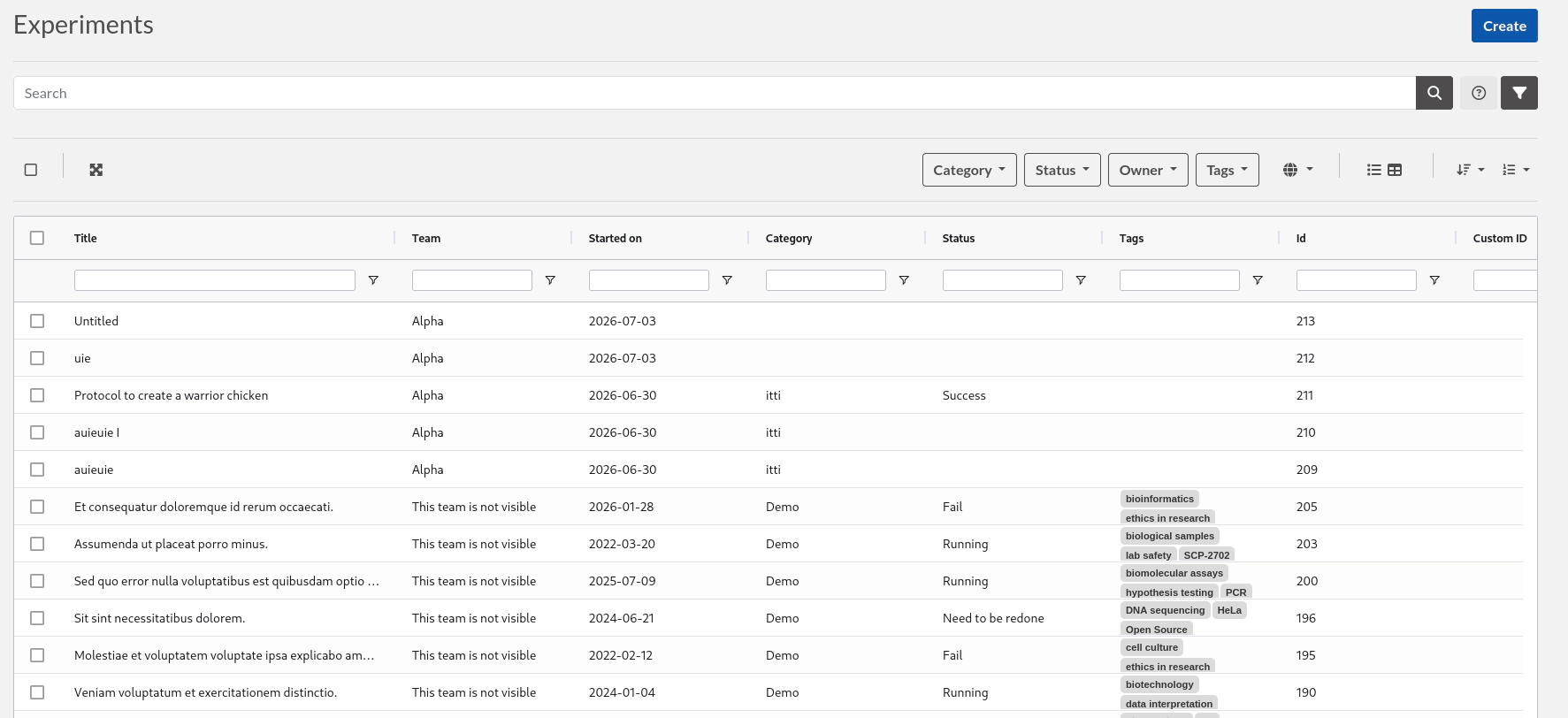
The table view now features a much-improved table, with resizable, sortable, reorderable, and searchable columns.
Performance
We’ve improved the loading speed of entries, which should be noticeable on large instances with many entries.
Accessibility
Extensive work has been done to improve the accessibility of the application: better contrast in light and dark modes, more visible links, better HTML structure, and improved ARIA annotations. We’ve even dropped our iconic #29AEB9 turquoise color in favor of a deeper blue for better button contrast. While some issues may remain, especially in third-party libraries or applications, we’re confident that the core of the application is now compliant with international accessibility standards such as WCAG 2.2.
Internationalisation
Traditional Chinese language support was added.
Container image features
- Allow modifying Content-Security-Policy with a custom
connect-srcthrough theCUSTOM_CONNECT_SRCenvironment variable. - Docker entrypoint messaging now reports the HTTP/HTTPS startup mode.
Compounds import improvements
- Tags are added to created resources using the
tagscolumn of the CSV. - If the compound cannot be found in PubChem, the row is still imported.
- Timestamps are included in import logs.
ORCID
A new setting has been added for IdPs: ORCID attribute. This allows Sysadmins to define a SAML attribute that will be used as the ORCID for the corresponding user. For organizations that already track ORCIDs in their internal directory, this will help associate eLabFTW users with that unique researcher identifier.
API
If you PATCH with metadatamerge, the JSON will be merged with the existing metadata.
Trusted Timestamping
eLabFTW now supports timestamping through Evidency.io, an eIDAS-qualified TSA suitable for large volumes of timestamping.
Security
Like many open source projects, we’ve seen a surge in security-related reports from researchers using LLMs to find such issues. Thanks to them, many small issues related to improper authorization checks were fixed!
Miscellaneous features
- Entity ratings displayed in table view.
- Ability to create a template from an existing entity.
- HTTP Range support in downloads, enabling video seeking.
- TinyMCE code block support for PHP.
- Spreadsheet editor warns about unsaved changes.
- Permissions UX/logic: apply permissions to read and write together, improved permissions modal/scope selector, templates and resource templates handled in batch actions.
- More actions are now logged in the changelog of entries, such as restoration from revision, upload additions/modifications, and tag changes.
- Admin ownership transfer: single-entity cross-team transfer support.
- Scheduler/resource UX: selected resource badges link back to resources, dashboard bookings sorted by start time, booked resource cost tracking, and improved scheduler edit flow.
- File uploads: duplication support and unified upload action menus.
- Team setting to force resource template usage.
- More detailed inventory search view.
- Storage/container handling: move/distribute new containers across storage locations.
Update eLabFTW
Update as usual: see the documentation.
If you’re looking for a more complete changelog, see the release page.
Tip: use AUTO_DB_UPDATE=true as an environment variable to automatically run the db:update script when the container starts!
What’s next
Here is what we have in mind for version 6.0:
- deploy the container in full user mode (see https://github.com/elabftw/elabftw/pull/6818)
- add Projects
- allow the use of the chemical editor directly from the experiment or resource page
- improve support for chemical reactions (please participate in the Discussion: https://github.com/elabftw/elabftw/discussions/6983)
- add parent-child relationships for entries
The good news: summertime is here, which means fewer meetings, fewer emails, and more time to work on big features! See you again in September!
Conclusion
Thanks to everyone who contributed, directly or indirectly, to this release. Reporting issues on the bug tracker or in the chat is very valuable! Make sure to report any bug you might find, even the most minor one; it is always appreciated.
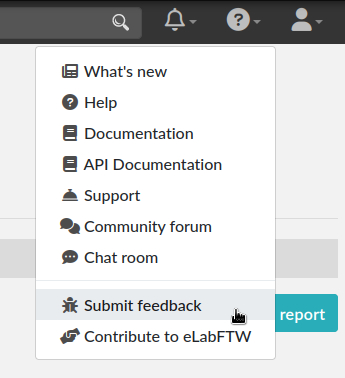
To report a bug, select “Submit feedback” from the top-right help menu:
The adventure continues!